
Check-in Instructions
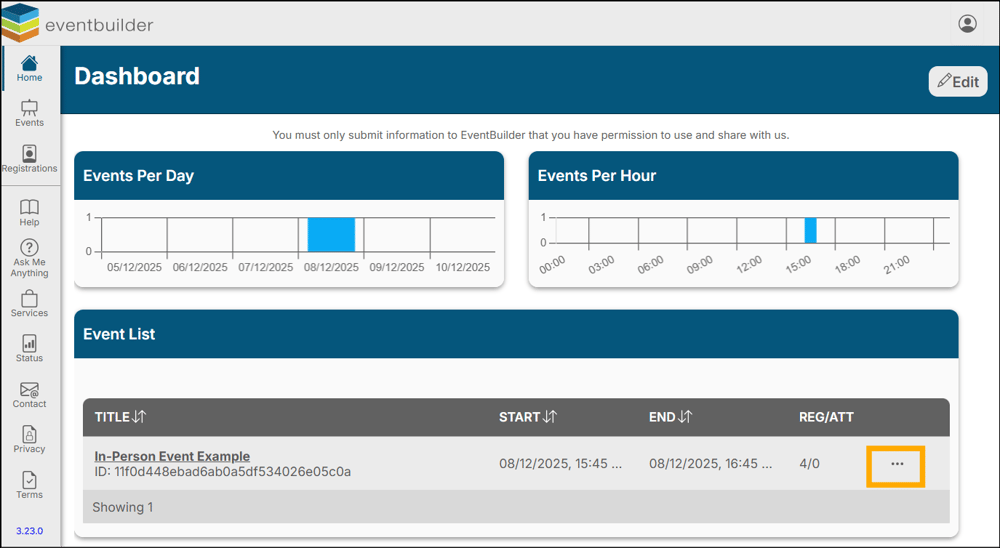
Log into your EventBuilder dashboard. Click the three dots on the Event Title entry:
Select 'Open Event Console' from the pop-up menu: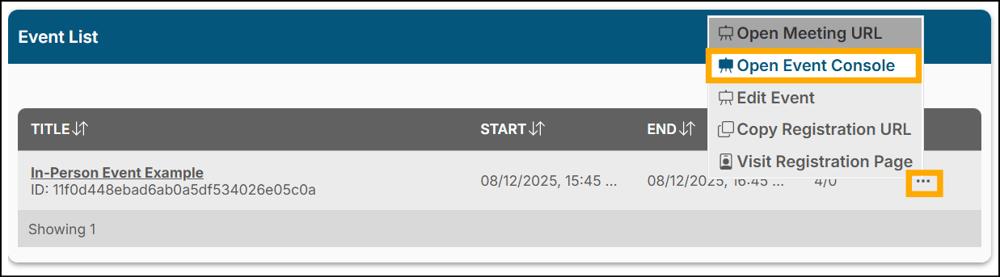
Select 'Check-In':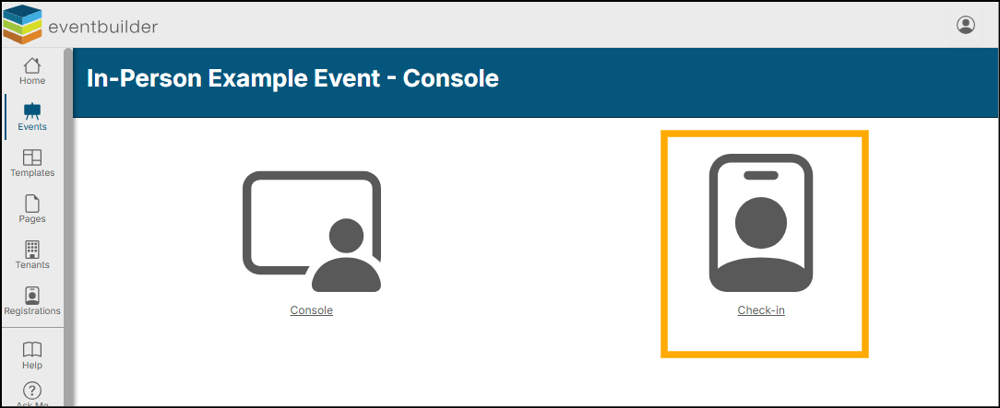
From the Check-in Console:
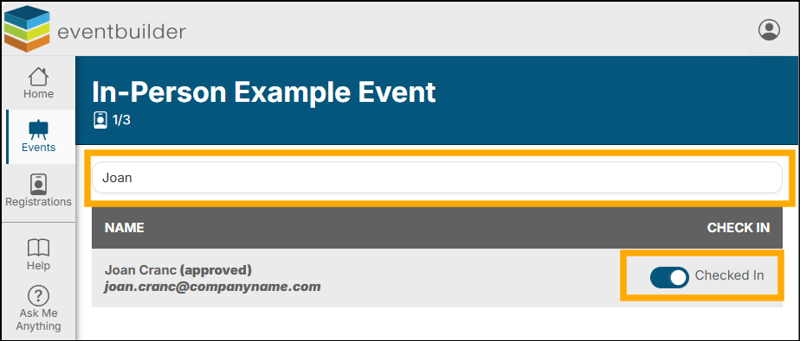
- View a live count of checked-in attendees vs registrants.
- Use the search bar at the top of the console to bring up an individual registrant record. You may search by first name, last name, or email.
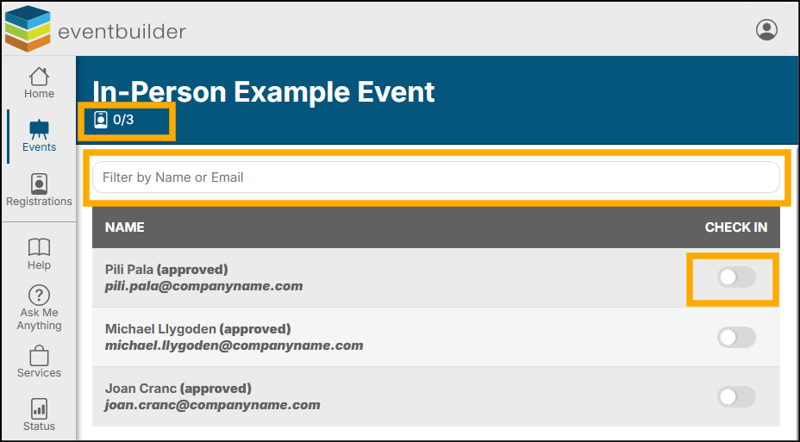
Once the registrant record has been found, check in your attendee via the Check in Toggle.
You may also check in pending and denied registrants from this console.