
Accessing Event Registrations
- Login to access your EventBuilder dashboard.
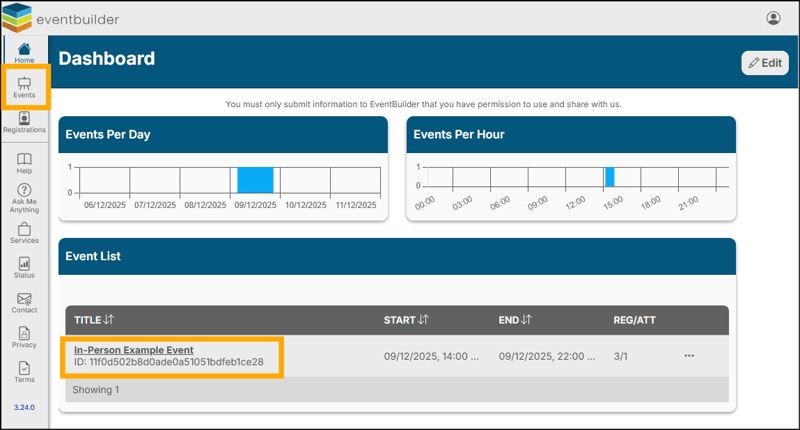
- Locate the event you wish to manage from the Events icon on the left-hand navigation or the Event List.
- Click into the Event Title to view registrations.
Managing Registrations
From the registrations area, you may:
- Approve or deny registrants.
- Mark registrants as attended.
- Export a single registration report or set up recurring reports.
- Manage attendance on event day
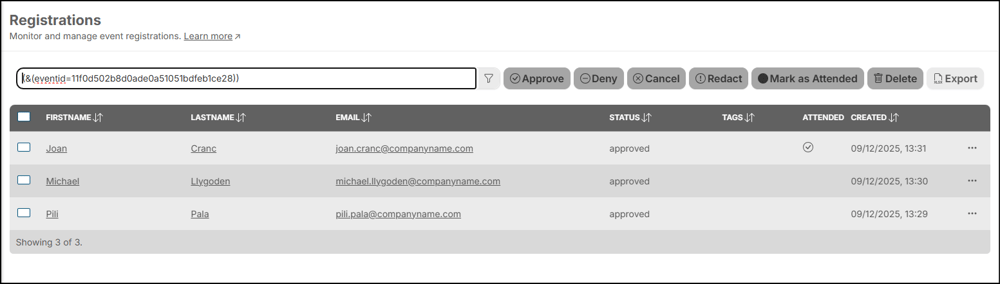
Approve, Deny, Edit or 'Mark as Attended'
To approve, deny or cancel a Registration click the left hand button to select the record and chose your action: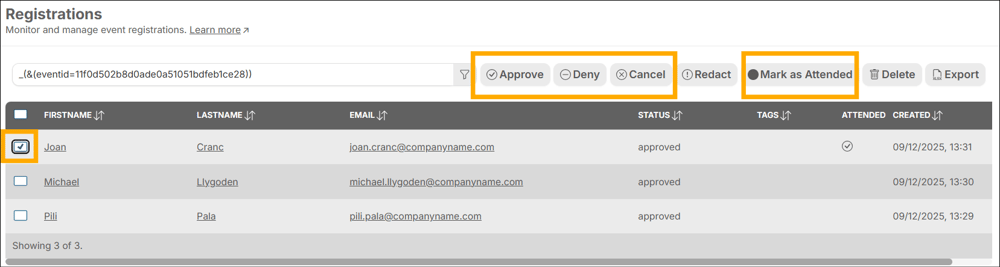
To view specific registrant details prior to approval, click on the name or email of the registrant.
Example of Registrant Record: 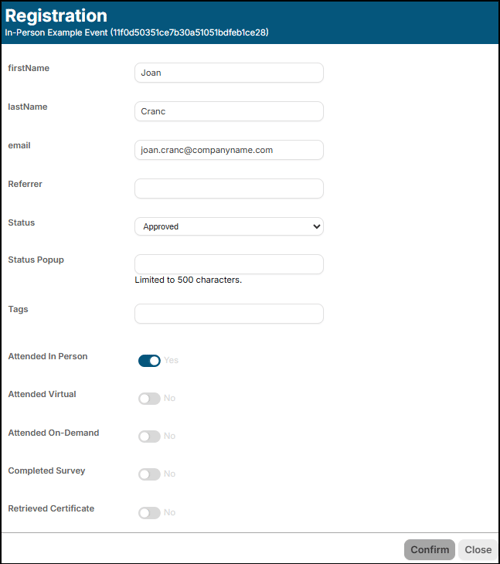
Exporting Registration Reports
Click the Export button in the top right corner of your screen to request a registration report. 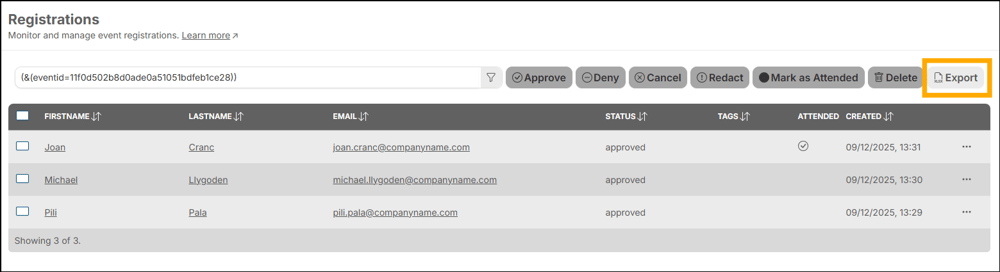
To customize your reports, select your desired data fields from the variables available:
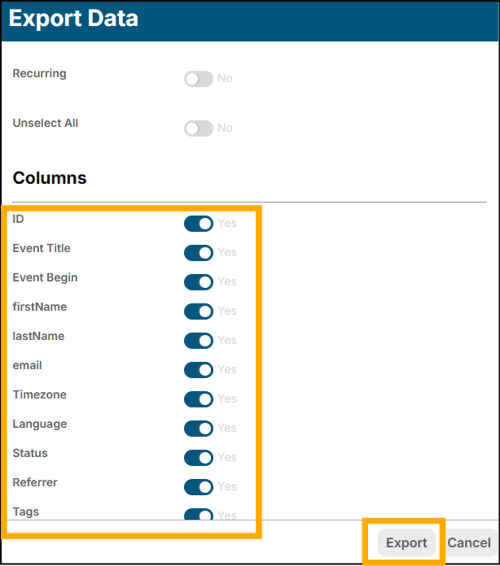
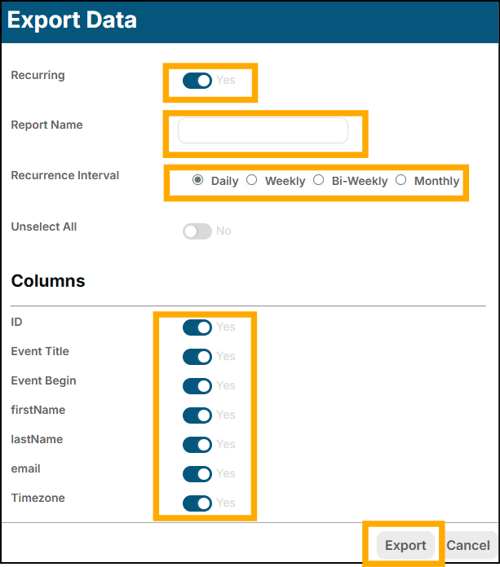
- The first report will be automatically exported and downloaded via your browser.
- If recurring reports are enabled, a link to download the report will be delivered to your inbox according to the requested cadence.