



CASE STUDY

How a Specialized Innovator Delivers High-Attendance Events in High-Security Environments

Introduction

Our customer, a global leader in advanced materials, supplies some of the most critical components behind today’s cutting-edge technologies—from semiconductors and aerospace to automotive and energy. With a reputation built on precision and innovation, they craft high-performance alloys, specialty coatings, and engineered materials that thrive where ordinary metals fail. Their work quietly powers everything from chip production to national defense systems, making them a behind-the-scenes powerhouse in industries that demand excellence. 

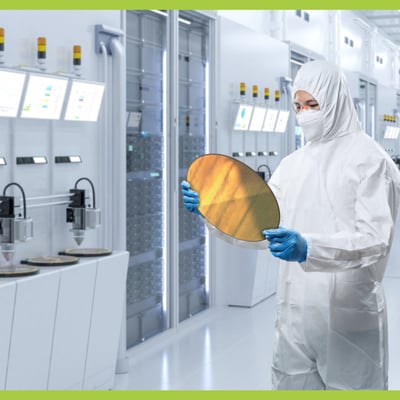
A person in a protective full body suit stands in a lab environment. They are holding a circle of reflective metal.

Challenge

Needs and Wants

With a guest list including roughly 1,000 employees, executive leadership, and some of the brightest minds in materials science, “technical difficulties” weren’t exactly welcome guests. Connecting that many attendees to a secure Microsoft Teams event is challenging enough. Doing it inside a Government Community Cloud High (GCC High) tenant? That can be an entirely new level.

Our client operates within one of the most secure Microsoft environments available – designed for U.S. Department of Defense (DoD) contractors, subcontractors, and suppliers who handle controlled Unclassified Information. It’s built to protect highly sensitive data, but that security can come with trade-offs. Updates and features are often delayed, maintaining strict compliance, which means Teams can behave differently than the commercial version most of our users are familiar with. Technology doesn’t always behave as expected, especially on the morning of a town hall with close to a 1,000-person guest list. That’s when even the smallest glitch can feel ten times bigger.

They needed a secure way to connect large, hybrid audiences to their Microsoft Teams tenant—without compromising privacy, control, or polish. Their quarterly town halls included both in-person and remote attendees, and they had to manage Teams permissions, protect proprietary information, and make the experience seamless for everyone watching. Add in a team with limited virtual event experience and you’ve got a lot of pressure riding on every stream.

Solutions

When a Teams tenant is built for national security, event execution can get complicated fast. That’s where we come in.   

Our event managers stepped in to handle the tedious, technical, and sometimes time-consuming event management tasks that otherwise fall on internal teams. For each quarterly event, we take ownership of the process end-to-end, freeing their staff to concentrate on content, messaging, and execute delivery. Together, we built a secure, repeatable, high-functioning virtual environment inside their Teams tenant. Here’s how we made that happen: 

presenter990 a plain mid blue square
Rehearsals >>
We scheduled and ran full rehearsals, testing microphones, cameras, and Teams settings across both in-room and virtual setups. Every speaker knew where to stand, when to speak, and what to expect. We handled the virtual meeting requirements and settings.

A metallic image of a circuit board with a lock icon in the center a plain orange square
Controlled Permissions >>
We pre-configured the virtual meeting environment to prohibit or limit unmuting and screen sharing to authorized presenters. The audience got attendee-view only to preserve the flow of the event and eliminate the risk of unexpected interruptions.
A white lanyard with a label that reads VIP on it against a green background a plain mid green square
Invitation Only Access >>
We curated registration pages and a system that that restricted access to only the intended audience – necessary in a GCC High event where every uninvited participant is a security concern.
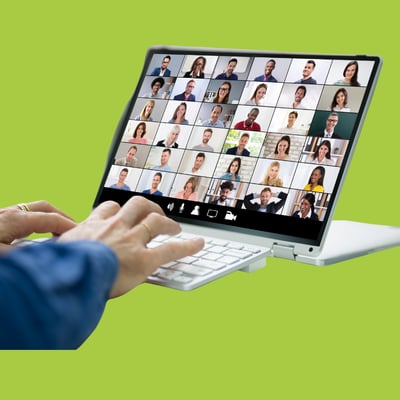
A white laptop displaying a webinar with many guests. A persons hands are on a keyboard typing a plain mid green square
Lobby Management >>
We monitored and adjusted the Teams lobby settings behind the scenes, letting attendees in at just the right time, then ensuring stragglers would not disrupt the presentation flow.

An old style wristwatch is on a person's wrist. The other hand is winding the dial to change the time or date. a plain mid blue square
Live Setting Adjustments >>
Technology isn’t always flawless. When it isn’t, we adjust the meeting environment as needed in real-time so presenters stay focused.

Three people's hands are centred in the image, all bracing each others wrists to make a supportive circle a plain orange square
Live Attendee Support >>
Our team provided real-time support for virtual attendees, troubleshooting technical issues in chat and behind the scenes. Our client doesn’t have to field “I can’t hear” or “Where’s the link?” questions. Any content-related inquiries are passed directly to their team, while we handle the rest.
With EventBuilder managing permissions, security, live support, and all the invisible levers of a polished event, our client is free to focus on what matters—connecting, informing, and leading. 

Results

With EventBuilder behind the scenes, this client routinely delivers secure, high-impact town halls that feel smooth, simple, and executive-ready. No matter how complex the environment. 

851 attendees
>>

Successfully connected to their secure GCC High Teams tenant without incident or confusion 

Zero security breaches 
>>

Full compliance with internal and government security protocols 

No unexpected interruptions
>>

Thanks to tight registration controls and careful lobby management 

Polished presentations 
>>

Driven by structured rehearsals and a support team on standby

Real-time technical support for attendees 
>>

So they could focus on their message, not the pings 

A trusted event partner
>>

They don’t have to think twice about the technical details each quarter. We’ve got it handled

Return to Case Studies Homepage