

.png?width=150&height=150&name=EB%20Academy%20Logo%20White%20Circle%20(1).png)
How Does Microsoft Teams Handle Large-Scale Events?
Microsoft Teams supports large-scale virtual and hybrid events through three formats: Meetings, Webinars, and Town Halls, each suited to different audience sizes and goals. Native Teams features handle registration, branding, and reporting well for most events, but enterprise-scale programs with complex compliance, registration, or production needs typically require support beyond what Teams offers natively.
Key Takeaways
- Teams Meetings, Webinars, and Town Halls each fit a different event size and goal.
- Friction increases as attendance grows, especially around registration and reporting.
- Microsoft Teams event partners extend native capabilities rather than replace them.
- The right support reduces platform sprawl and lowers risk at the larger scale.
For many organizations, Microsoft Teams is already the center of communication and collaboration. Using it as the foundation for virtual and hybrid events is a natural extension. Your users know the interface, your IT team governs it, and it is included in Microsoft 365 licensing.
Teams supports a wide range of event needs such as:
- Internal updates and training
- Customer and partner webinars
- Executive town halls and all-hands
- Hybrid experiences that join in-room and remote attendees
Microsoft Teams offers three primary formats: Teams Meetings, Teams Webinar, and Teams Town Hall. Understanding their differences helps your team choose the right foundation for every event.
Recent Changes: Premium and the New 'Teams Enterprise'
As of April 1, 2026, Microsoft renamed and restructured how large-event capability is licensed. Features that used to require Teams Premium, registration, attendee management, Simulive, and expanded host controls now ship under a new license called Teams Enterprise. If your organization evaluated Teams events before that date, the capacity and feature numbers you remember have likely changed.
Organizations that purchased premium before April 1, 2026 keep their legacy Premium features until those licenses expire, so what your tenant actually has access to may not match this guide until renewal.
Note: The information below is correct as of August 31, 2026, and is re-verified every three months.
Teams Meetings
Best for interactive collaboration where all participants can use audio, video, chat, and screen sharing.
Capacity
- Up to 1,000 fully interactive participants
- Additional view-only up to 10,000 available (total capacity: 11,000 when configured)
Key Features
- Two-way audio and video
- Real-time chat and reactions
- Breakout rooms available
Ideal Scenarios
- Team updates
- Internal training
- Collaborative workshops
Where Scale Becomes Tricky
Once attendance climbs into the hundreds, permissions, chat volume, and breakout logistics can outpace what an internal team can manage live. Internal reporting also makes follow-up harder to execute.
Teams Webinars
Best for structured events with registration
Capacity
- Up to 3,000 interactive attendees under Teams Enterprise
- Up to 10,000 view-only
- Up to 100,000 attendees with Attendee Capacity Packs
Key Features
- Native registration and confirmations
- Presenter and attendee roles
- Lobby controls and structured Q&A
- Attendance and engagement reporting
- Breakout rooms available
Ideal Scenarios
- Customer demos
- External education
- Partner briefings
Where Scale Becomes Tricky
Native registration works well for straightforward events, but multi-language audiences, approval paths, or deeper data requirements may call for a more robust, flexible tool.
Teams Town Halls
Best for large, presenter-led broadcasts
Capacity
- Up to 3,000 interactive attendees
- Up to 10,000 view-only
- Up to 100,000 attendees with Attendee Capacity Packs
- Microsoft recommends Teams Events Services directly for audiences beyond 20,000
Key Features
- High-scale streaming
- Moderated Q&A
- Producer and presenter tools
- No breakout rooms, the tradeoff for reaching the largest possible audience
Ideal Scenarios
- Executive town halls
- Company-wide all-hands
- Public or industry updates
Where Scale Becomes Tricky
Registration and analytics don't offer the depth many large-scale events need. Many organizations pair Town Hall with external registration, analytics, and production support, gaining that depth without running a separate events platform.
Teams Enterprise and Teams Premium: What Each One Covers
Teams Enterprise is the license that drives event capacity and core delivery:
- Registration and attendee management
- Simulive and immersive events
- Expanded host controls
- Microsoft eCDN for high-volume streaming
- Webinar and Town Hall capacity scaling to 100,000 with Attendee Capacity Packs
Teams Premium is now an add-on layer, not a prerequisite for large events:
- Advanced meeting protection (watermarking, sensitivity labels)
- Branding and personalization
- AI-powered intelligence features
- Queues app for specialized communication workflows
Feature Availability by License Level
Join and Access:
- Anonymous join: Meetings, Webinars, Town Halls
- Join verification for external presenters: Premium only
- View-only attendees:
- Meetings: 10,000
- Webinars: 10,000
- Town Halls: 10,000
Accessibility:
- CART captions, live captions, liver transcription: all event types
- Language interpretation: Premium or Microsoft 365 Copilot required
Engagement:
- Chat: Meetings & Webinars; Town Halls use comment stream
- Q&A: All event types
- Polls, reactions, raise hand: All event types (with capacity-based limitations)
Roles & Scheduling:
- Registration: Meetings (limited) Webinars, Town Halls
- Email customization: Webinars and Town Halls
- Co-organizers: Up to 10 across all event types
Content & Sharing:
- PowerPoint Live: screen sharing, whiteboard: All event types
- Breakout rooms: Meetings and Webinars only (not Town Halls)
Recording & Transcription:
- Compliance recording: All
- Convenience recording: All
- Automatic expiration: All
- Video on Demand (VOD): All
Confirming what your tenant includes before you plan avoids discovering a feature gap mid-event.
Quick Decision Guide:
Use a Meeting when:
- You need full interactivity
- Up to 1,000 active participants
- Breakout rooms are required
Use a Webinar when:
- You need registration, structured presenter roles, email customization
- You want up to 3,000 interactive attendees
- You want a more polished event format
Use a Town Hall when:
- You need a broadcast-style delivery
- You expect >3,000 attendees
- You need view-only mode or scaling to 100,000
- You want simulive or immersive features
Tips From a Pro: Barbara Richardson, Event Services Program Manager
Meetings with a cap of 300 attendees is common among our clients. Collaboration can become increasingly difficult to manage when attendance grows. If attendance reaches above 150, a more structured, moderated Q&A may be a better option, helping to maintain the quality of the attendee's experience.

Want More Info? Learn From Our Pros
Don't miss the recording of our webinar, "Choosing the Right Teams Meeting Type for Your Event," where our event experts breakdown the different options to help you select the Teams event option that best suits your individual scenario. Register now ~ it's free!

Delivering a polished experience in Microsoft Teams or Teams Town Hall starts long before your presenters switch on their microphones. Large-scale events succeed when branding is consistent, registration is frictionless, engagement feels intentional, and analytics deliver insight that shapes the next event. This chapter covers those four components, grounded in Microsoft's native capabilities and EventBuilder's experience running high-volume Teams events.
Build a Cohesive Brand Experience
A strong brand present tells attendees they're in the right place and sets the tone for the event.
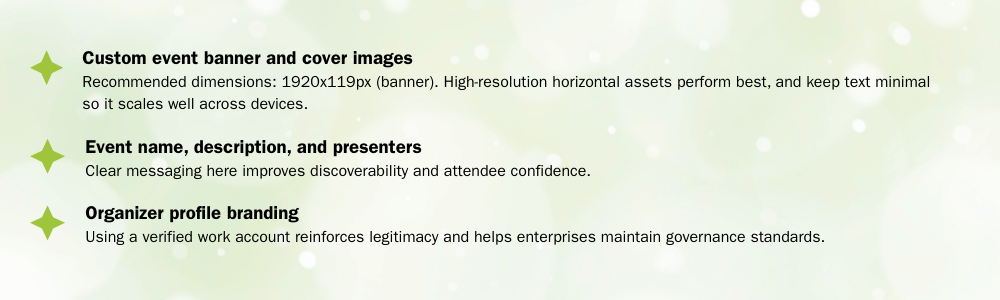
Microsoft gives organizers flexibility to incorporate brand elements, including:
- Custom event banners and cover images. Recommended dimensions: 1920 by 1080 pixels. High-resolution horizontal assets scale best across devices, and minimal text holds up better than dense graphics.
- Event name, description, and presenter details. Clear, specific messaging improves discoverability and gives attendees confidence before they register.
- Organizer profile branding. A verified work account reinforces legitimacy and supports enterprise governance standards.
Create a High-Converting Registration Flow
Registration is the gatekeeper for larger events. A well-built process captures the right data, reduces friction, and supports compliance.
Microsoft's native registration lets organizers customize:
- Required and optional fields
- Event details and speaker bios
- Custom questions
- Automated confirmations and calendar invites
Native registration works well for straightforward events. Large event programs with multi-language audiences, approval paths, or deeper data requirements typically need more customization than native tools provide.
Deliver Meaningful Engagement at Scale
Enterprise events succeed when attendees learn something, participate and feel connected. Thoughtful engagement design is what separates passive attendance from real participation.
Microsoft provides built-in interaction tools, including:
- Q&A
- Live reactions
- Polling through Microsoft Forms
- Presenter bios and resources
Teams Town Hall adds broadcast-quality features on top of these: structured agendas, video-on-demand, and moderated Q&A.
Turn Event Insights Into Enterprise Intelligence
Analytics turn a one-time event into an ongoing optimization loop. Core Teams reporting includes:
- Total registrations and attendance
- Attendee join times and duration
- Engagement activity (Q&A, polls, reactions)
- On-demand viewing performance
- Technical quality indicators
These data points are baseline for evaluating reach and performance across an event program.
Technical readiness matters as much as your content when you're hosting a large event in Microsoft Teams or Teams Town Hall. This section confirms your format, roles, presenters, and network are ready before you invite hundreds or thousands of people to join.
Align the Event With Your Goals
Start by choosing the Teams experience that matches your event's style and risk profile: Teams Meeting, Teams Webinar, or Teams Town Hall.
Clarify Roles and Permissions Early
Unclear roles become visible problems once an event scales. Assign these before invitations go out:
- Organizer: Sets the schedule, configures Teams, owns follow-up
- Co-Organizers/Producers: Manage Q&A, recordings, and live adjustments
- Presenters: Focus on delivery and format
- Moderators: Watch chat, Q&A, and accessibility needs
- Attendees: Participate through the tools you turn on, such as Q&A or reactions
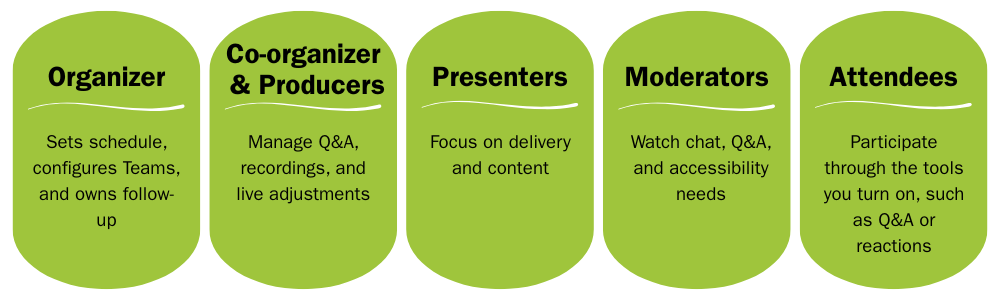
Document who does what, and confirm Teams permissions match those responsibilities. Add a short "who's doing what" table to your internal run sheet, and review it during rehearsal.
Prepare Presenters for Success
Large events bring in presenters across different locations, devices, and comfort levels with Teams. A simple prep process prevents most common problems:
- Schedule individual tech checks for each presenter
- Confirm audio, video, lighting, and backgrounds
- Show presenters how to join in the correct role and share content
- Discuss how they prefer to handle Q&A, so moderators know what to support

Plan for Capacity and Network Reliability
Large audiences strain networks and expose licensing gaps:
- Confirm which Teams features and capacities your tenant includes
- Involve IT early to review expected attendance and traffic patterns
- Discuss whether an enterprise content delivery network (eCDN) fits your organization
- Run a low-risk silent test before your flagship Town Hall
Security Considerations for Modern Town Halls
A town hall isn't just a live broadcast. Every registration field, engagement click, and recorded moment can capture personal or sensitive information. Strong security practices protect attendees and set the standard for every event that follows.
- Collect only the essentials. Audit registration forms and remove anything that doesn't serve a clear purpose.
- Make consent unmistakably clear. If attendees are sharing information or appearing in recorded sessions, spell out what they're agreeing to, in plain, accessible language.
- Align intention with compliance. Privacy requirements vary by geography and sector. Note thee differences in your event documentation.

Download our free guide, "The Ultimate Virtual Events Security & Compliance Checklist," to get all the details you need to know for building safe, privacy-focused compliant events.
Teams provides strong fundamentals. Complexities tend to appear when visibility, compliance and/or audience size expands.

Production Quality and Reliability
Larger events often involve multiple presenters, pre-recorded segments, or last-minute content changes. This is where consistent production roles, rehearsals, and backup plans become essential. Some hurdles with delivering a smooth experience in a large event include:
- Multiple remote presenters, sometimes joining from different regions or networks.
- Switching between video feeds, slides, pre-recorded clips, and live screen shares.
- Handling last-minute technical issues while maintaining a professional flow.
When faced with these common large-scale event challenges, organizations will want to plan for:
- Producers who monitor quality in real time
- Clear, well-defined roles for speakers and moderators
- Detailed run-of-show documents
- Backup slides and pre-recorded content
Particularly for visible and/or high-stakes events, working with event managers run these conditions daily, reduces the risk of an on-air problem reaching your audience.
Complex Registration and Global Audiences
Native registration offers a strong base. Complexity grows when an event needs:
- Internal and external paths
- Approval workflows
- Multi-language registration
- API keys for data export or BI integration
- Custom branding for communications
A structured registration layer prevents duplicate lists, inconsistent data, or manual clean-up work. EventBuilder builds this layer directly onto Teams, extending the native registration rather than replacing it.
Enterprise Security and Compliance
For regulated industries or high-stakes corporate communications, security controls aren't optional. Common requirements include:
- Access control tied to registration
- Clear data retention and storage rules
- Alignment with compliance frameworks such as ISO, as well as GDPR and CCPA
- High-security configurations for regulated environments
An experienced events partner brings these controls in place from the start, reducing the compliance risk an internal term would otherwise carry alone.
Find out more: Enterprise-Ready Secure & Compliant Microsoft Teams Events
Engagement and Analytics at Scale
High-attendance events need moderation and reporting beyond what's Teams provides natively:
- Dedicated moderators
- Planned interaction moments timed to the event's flow
- Engagement tracking and on-demand viewing analytics
This depth of reporting is what turns a single event into a repeatable, improvable program.
Customized Branding, Simulive, and Hybrid Events
A cohesive brand experience extends past the meeting room. Inconsistent touchpoints, or workflows that shift depending on delivery format, weaken that experience. This matters most for:
- Fully branded registration and emails.
- One visual identity across the attendee journey.
- Simulated live (simulive) events that blend pre-recorded and live content
- Hybrid events connecting in-room and remote attendees.
Standardized, repeatable workflows across these formats keep brand consistency intact regardless of how an event is delivered.
A Microsoft Teams event partner is worth evaluating once event complexity outpaces what native Teams handles well, specifically registration paths, security requirements, live production support, and reporting depth. Most organizations reach that point when events grow in size, frequency, or visibility faster than internal bandwidth can absorb.
As Teams becomes the backbone of enterprise communication, more organizations are asking whether a specialized Teams event partner would strengthen reliability, scale, or branding for their highest-visibility events. This chapter breaks down what these partners typically provide and how to evaluate whether outside support makes sense for your team.
EventBuilder is one example of a Microsoft Teams-focused partner. It combines managed production services with software specifically built to extend Teams registration, security, and analytics, while keeping Teams and Town Hall at the center of delivery.

Plan, Rehearse and Prepare With Confidence
Microsoft Teams event partners typically help organizations prepare by:
- Recommending the right Teams format and licensing mix for the event
- Designing workflows that match internal requirements
- Preparing presenters through structured tech checks
- Running rehearsals to mirror actual event conditions
This groundwork keeps internal teams focused on content and messaging while the partner manages logistics.
Manage Live Production and Moderation
On event day, partners typically manage:
- Presenter transitions and screen share control
- Audio and video oversight
- Coordination between live and pre-recorded segments
- Polls, Q&A, and audience interaction
- Behind-the-scenes troubleshooting
This support lets presenters concentrate on delivery instead of managing control mid-event.
Extend Registration, Communications, Security
Most partners layer software on top of native Teams registration to add:
- Conditional paths for different audience segments
- Combined internal and external registration in one workflow
- Branded confirmation and reminder communications
- Access control tied directly to registration data
- Additional security controls for regulated environments
Registration needs that outgrow native Teams options are the most common reason organizations bring in this kind of support.
Turn Event Data Into Actionable Reporting
Teams provides core reporting on its own. Specialized partners typically add:
- More granular attendee behavior data
- API or export options for BI tools and custom reporting
- Reporting formats built for different stakeholders
Coordinate Hybrid and Simulated Live Events
A Microsoft Teams event partner is worth evaluating when:
- Events regularly draw large or globally distributed audiences
- Programs involve executive or customer-facing sessions
- Registration paths or approval flows get complex
- Security expectations are significant
- Branding, Simulive, or hybrid requirements exceed what Teams offers natively
- Internal bandwidth is stretched or inconsistent across events
If internal teams are stretched thin, or event quality varies from one program to the next, a specialized partner brings consistency without replacing Teams as the events platform. Running separate, parallel platforms adds administrative complexity, cost, and data security gaps that most enterprise teams can't absorb.
As Teams usage expands to cover higher-visibility events, a clear set of next steps brings consistency and confidence to the program instead of leaving it to grow ad hoc. This chapter closes this guide with the questions worth asking internally, and the moments when outside expertise is worth bringing in.
Choosing the right format is the starting point (Chapter 1), but format alone doesn't deliver a polished event. Registration, branding, security, and reporting each need deliberate attention (Chapter 2), and each gets harder to manage at scale, not easier. Preparation, goal alignment, defined roles, presenter readiness, network capacity, matters as much as anything that happens live (Chapter 3).
Complexity doesn't show up evenly. It concentrates in specific places: production reliability, registration across global audiences, compliance requirements, and hybrid or Simulive delivery (Chapter 4). Recognizing where those pressure points sit is what determines whether a specialized partner adds value or just adds costs (Chapter 5), and that support typically reduces total spend rather than adding to it, by consolidating platforms and getting fuller use out of a Microsoft 365 investment already in place. (Chapter 6).
Ask These Questions Before Your Next Large-Scale Event
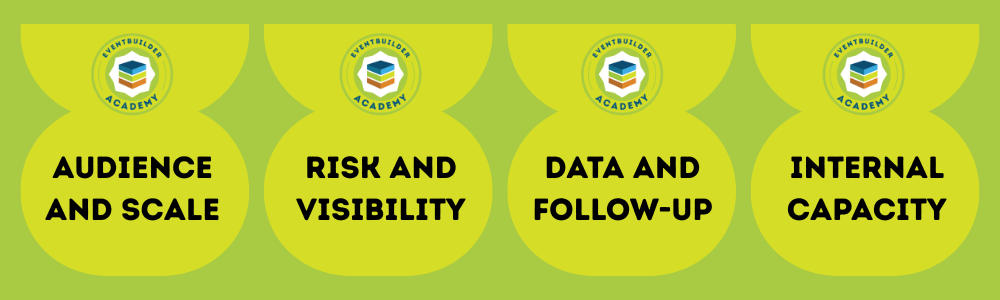
Audience and Scale
- What is our typical and maximum audience size?
- How interactive does the event need to be?
Risk and Visibility
- Which events would meaningfully affect internal or external perception if something went wrong?
- Do any events involve regulatory considerations?
- What security and privacy considerations are at play?
Data and Follow-up
- What data does each event actually need to produce?
- How quickly does that data need to reach other teams?
Internal capacity
- Who owns content and messaging?
- Who owns technical execution?
- Which tasks feel inconsistent or create the most stress event to event?
When to Bring in a Teams Events Specialist
A partner earns its place when:
- Events involve hundreds or thousands of attendees
- Leadership, customer-facing, or high-stakes events require consistent reliability
- Registration, approval paths, or security needs have grown complex
- Branding expectations extend beyond the native capabilities
- Security, privacy, and compliance requirements need dedicated support
- The goal is a more consistent, predictable event experience across the calendar
EventBuilder is a women-owned and led company delivering reliable virtual, hybrid, and in-person event management for organizations that need every webinar and broadcast to run smoothly, built around each program's specific requirements and goals.
Talk to our team to find out where your Teams event program stands today, and what closing the gap actually looks like for your organization.
Turn Teams Into Your Enterprise Event Platform
Download The Ultimate Toolkit for Large-Scale Virtual and Hybrid Events on Microsoft Teams and learn how to deliver secure, branded, and measurable events, maximizing your Microsoft 365 investment!

Shattering Stereotypes: Debunking Myths About Women in Tech
Diversity in Tech: Why It Matters and How to Foster It