


Hosting a Microsoft Teams Town Hall with external partners or sensitive content? The stakes are high! Privacy breaches, unauthorized access, and compliance gaps can derail even the most polished event, and those are risks you can't afford to take.
Why Security and Compliance Matter for Virtual Events
The New Reality of Enterprise Virtual Collaboration
The global events market is projected to grow from $98.07 billion in 2024 to $297.16 billion by 2030. That's a compound annual growth rate of nearly 20%. (Grand View Research, 2024)
Yet, growth brings new security risks, and event pros are feeling the pressure. While 93.2 % of event organizers viewed their virtual event positively in terms of attendance, (vFairs), in a Markletic survey, 38 % of marketers cited technology failures or security lapses as a top challenge for virtual events.
With the explosive growth of the virtual events industry, emerging new regulations, and increased audience awareness of their personal security and privacy risks, successful events depend not just on attendance, but on trust and integrity. Secure, compliant execution helps minimize reputational, legal, regulatory, and financial risks. In other words, it's not simply a technical requirement, it's a brand trust imperative.
The Big Picture on Large-Scale Teams Events
Don't miss our guide, "The Ultimate Toolkit for Large-Scale Virtual and Hybrid Events," where we take you through producing successful, high attendance events on Microsoft Teams and Teams Town Hall. Download it today!

Common Security & Compliance Gaps in Teams Events
While Microsoft Teams enforces your organization's Microsoft 365 policies, certain event scenarios require more advanced, targeted security controls. Below are typical weak points in a standard Teams setup when used for large-scale or external-facing events.
Inadequate Access Control
Problem: Reused meeting links and unrestricted sharing.
Risk: "Zoom Bombing," unauthorized attendance, intellectual property theft, or data exposure.
How to Fix It:
- Issue unique, one-time join links tied to registration identity.
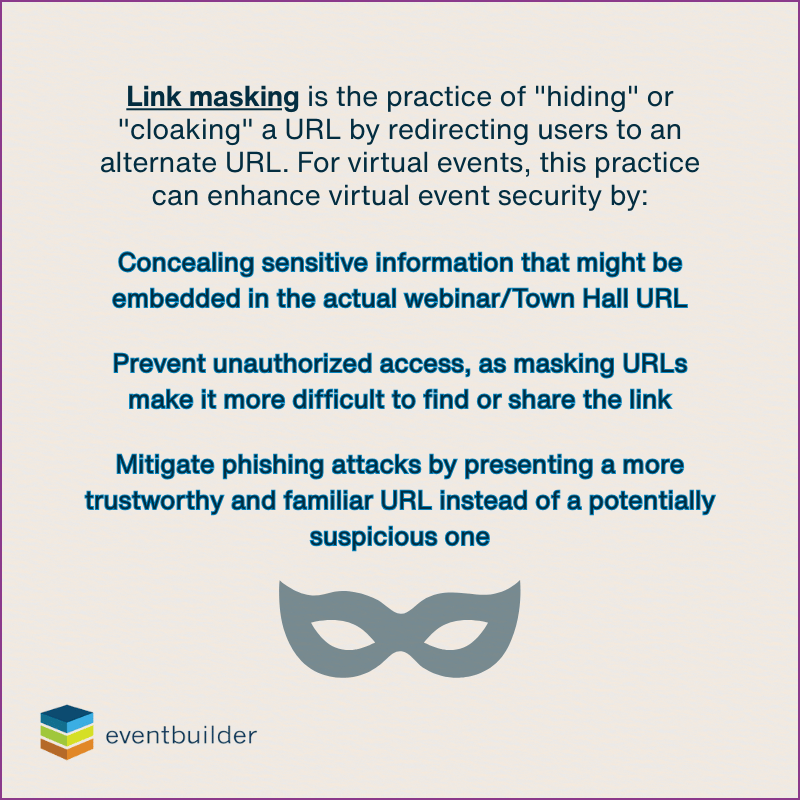
- Deploy link masking to mitigate the risk of phishing attacks.
- Require email validation or Azure AD verification.
- Use lobby controls and admit verified participants only.
- Restrict presenter and moderator privileges to approved roles.
Data Privacy and Compliance Gaps
Problem: Registration data, polling responses, session analytics, and recording artifacts may contain personally identifiable information (PII) or personal health information that should be properly secured and managed to stay in compliance.
Risk: Violations of GDPR, CCPA/CPRA, HIPAA (for health contexts); audit penalties.
How to Fix It:
- Collect only necessary attendee data.
- Add explicit consent checkboxes during registration.
- Store data in encrypted systems with role-based access.
- Apply retention policies to auto deletion after a defined period.
- Use Microsoft 365 audit logs to track access and exports.
Content Confidentiality Risks
Problem: Confidential slides, screens, or Q&A messages can be copied or recorded.
Risk: IP leakage, insider risk, or competitive exposure.
How to Fix It:
- Apply sensitivity labels via Microsoft Purview.
- Enable watermarking on presentations and video streams
- Turn off download and export permissions for attendees.
- For critical sessions, consider a Simulated Live (pre-recorded) model.
Industry-Specific Regulation Exposure
Problem: Sectors like healthcare, finance, or government face stricter compliance demands.
Risk: Fines, certification loss, or failed audits.
How to Fix It:
- Use environments such as Microsoft GCC High, DoD, or Azure Government.
- Partner with vendors holding ISO 27001, ISO 27701, or SOC 2 Certifications.
- Maintain tamper-evident audit logs of roles, changes, and exports.
- Generate post-event compliance reports for documentation.
Best Practices for Secure Teams Town Hall Production
A secure event requires more than tools; it requires a thoughtful, repeatable process. Use this phased model to maintain compliance from planning through post-event reporting.
Security-by-Phase Framework
| Phase | Key Activities | Security & Compliance Focus |
| Planning & Registration | Build registration with unique links | Identity verification, data minimization, privacy notice |
| Pre-Event Setup | Configure roles, turn off anonymous join | Role-based access, lobby control |
| Dry Run & Testing | Full rehearsal under load | Validate permissions and content restrictions |
| Live Event Delivery | Moderate chat, manage screen sharing | Prevent unauthorized sharing |
| Post-Event Processing | Manage recordings, export analytics | Watermarking, encryption, anonymization, retention |
| Audit & Reporting | Log access and actions (role changes, exports) | Produce compliance reports, audit trails |
Tips to Strengthen Each Phase
- Registration: Use a registration verification method, such as 2-Factor Authentication.
- Access Settings in Teams: Restrict producer and presenter roles to essential staff.
- Event and Content Moderation: Moderate Q&A and chat, turn off file sharing.
- Recording Policies: Segment and encrypt recordings immediately after the event.
- Backup Plans: Maintain backup RTMP streams for redundancy.
- Training and Dry Runs/Rehearsals: Conduct a full scale rehearsal simulating live conditions.
When to Bring in Expert Help
Even if you have internal IT or event staff, some event types demand deeper expertise.
Signs You Need Professional Event Security Support
- You host public or hybrid events with thousands of attendees.
- You operate in regulated industries (healthcare, finance, government).
- You require multi-factor identity validation or audit-ready documentation.
What a Specialist Partner Provides
- Advanced registration architecture and identity logic
- Teams-specific security configuration and policy enforcement
- Data deletion workflows aligned with compliance standards
- Moderation teams for Q&A, polls, and chat filtering
- Proven track record in regulated environments (HIPAA, GCC High, SOC 2)
How to Choose the Right Partner
- Verify the vendor is a Microsoft Preferred Supplier and its compliance credentials.
- Review case studies and client success stories.
- Confirm documented data handling and retention policies.
Summary & Action Steps
A secure Microsoft Teams Town Hall requires layered defense: from registration to audit. Use this checklist to verify readiness:
- Audit your registration pipeline: are links unique and tied to verified identities?
- Lock Teams configuration settings (turn off anonymous join, restrict downloads.)
- Plan for moderation (chat, Q&A, content sharing).
- Define retention and deletion rules for collected data.
- Use watermarking or encryption on recordings.
- Run full-scale rehearsals focusing on role transitions and security checks.
- Collect event logs and build a compliance report.
Confidently Secure Your Teams Town Halls
Microsoft Teams provides a solid foundation for security, no doubt. For high-stakes, enterprise-level events, the margin for error is razor thin, and success depends on approaching security, privacy, and compliance with the highest possible standards in mind and implementing them with care and precision.
Partnering with a trusted event management company like EventBuilder means your event security, privacy, and compliance standards are enforced from the ground up, giving you the freedom to focus on authentic communication and real-time engagement. Reach out and get started today!

Download The Guide: The Ultimate Toolkit For Large-Scale Virtual and Hybrid Events on Microsoft Teams.
Get practical checklists, compliance information, and configuration tips to hose secure, compliant events with confidence.
Disclaimer: This article was created with some help from AI, but thoroughly edited, revised, reviewed, and fact-checked by a living, breathing, coffee-drinking human writer.
Microsoft Teams Webinar & Town Hall Reporting: Event Data for ROI
Simulated Live Webinars in Microsoft Teams for Enterprise Events
No Comments Yet
Let us know what you think