


If you've run hybrid events, you know a basic livestream doesn't cut it with a dual audience. Remote attendees expect more than a webcam pointed at a stage, they want genuine interaction. In-person audiences expect production quality that matches the room. Organizers have to deliver measurable results for both groups, at the same time, with one event.
A Teams hybrid event works best when it's designed as one shared experience. When engagement, production, and support are planned around a single event instead of two parallel ones, people can participate, be heard, and stay connected from start to finish.
Who this is for: Pros running hybrid events and conferences on Microsoft Teams, especially Internal Comms, HR, IT/AV, and Event Marketing.
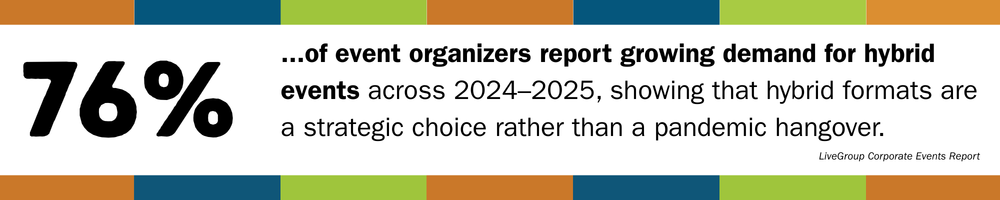
How to Run a Hybrid Event on Microsoft Teams
A Microsoft Teams hybrid event works best when you design one experience for two audiences. Treat it like a broadcast: prioritize audio and camera coverage, clear visuals, and give both audiences intentional ways to participate, and assigning clear event management roles so the room and the stream are supported equally throughout.
How Microsoft Teams Hybrid Events Differ From Standard Meetings
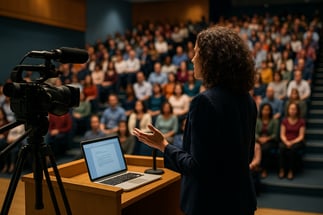
A hybrid event in Microsoft Teams isn't "a meeting, only bigger." You're actually running one event with two very different experiences:
- In-person attendees feel the energy in the room, the body language of the presenters and other participants, and can jump into engagement easily.
- Remote attendees can only experience what your cameras, microphones, and moderators allow them to see and hear.
Without an intentional design accommodating both perspectives, one group will feel like the "real" audience, and the other will quietly disengage.
Learn all about large-scale Microsoft Teams virtual and hybrid events with our guide, Mastering Large Virtual Events on Teams
Common Challenges When Running Hybrid Events on Teams
Hybrid events fail in predictable ways. None of these are rare, and, fortunately, all of them are fixable.
Audio and Video Quality
If your remote attendees can't hear clearly, they'll check out quick. Audio problems are noticed before anything else, every single time. Invest in microphones and sound checks before worrying about any of your visuals.
Engagement Imbalance
When interaction flows only through the room, virtual attendees fade into the background. Without clear plans for chat, Q&A, polls, or reactions, they default to passive viewing, negatively affecting your attendee's overall satisfaction with your event.
Networking Gaps
Spur-of-the-moment hallway conversations don't magically translate to Teams; you need intentional touchpoints. Implement moderated chat prompts, structured breakout sessions, and/or dedicated networking moments.
Technical Complexity
Cameras, microphones, presentation laptops, AV gear, and Teams all have to be compatible and play nice with each other. Without clear ownership and a cohesive tech plan, things get stressful quickly.
Content Built For One Audience
Slides that look fine in the room can be unreadable online for everyone, particularly virtual attendees with accessibility needs. Font size, contrast, pacing, and how content is shared matter more when two audiences are watching differently.
Split Moderation
When questions are coming from everywhere: room mics, chat, Q&A - chaos can ensue. A dedicated moderator keeps things balanced and makes sure remote voices are heard.
When these pieces aren't well-planned, organizers feel stretched thin, and both audiences feel it.
Why Microsoft Teams Works Well For Hybrid Events
If your organization already lives in Microsoft 365, Teams is a natural hub for hybrid events.
Flexible Event Formats
- Teams Meetings for smaller, interactive sessions
- Teams Webinars when you need registration and more control
- Teams Town Halls for large-scale broadcasts and executive updates
Built-In Engagement Tools
A Teams-experienced moderator assigned to deploy chat, reactions, Q&A, and live polls give remote attendees multiple ways to participate successfully.
Accessibility and Inclusion
Live captions, on-screen ASL interpreters, transcripts, and recordings support accessibility, as well as opening up events to be good on-demand assets.
Security and Compliance
Events run within your existing Microsoft environment, aligning with your organization's governance and access controls.
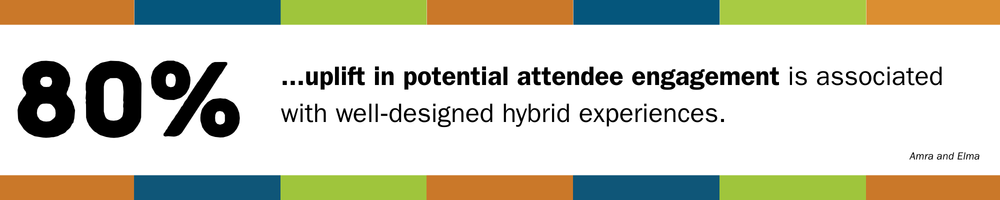
Planning Engagement that Includes Both Audiences
Good hybrid management doesn't happen automatically. It's designed.
Start With Shared Goals
Before choosing tools, answer a few practical questions:
- What should people know, feel, or do by the end?
- Where does live interaction actually matter?
- Which moments are most important for remote attendees?
- When should the room lead, and when should online voices come first?
Use these answers to shape your run-of-show.
Next, Build a Simple Run-of-Show
A one--page run-of-show should include:
- Segment timing and flow
- Who's speaking (and from where)
- Engagement moments (polls, Q&A, chat prompts)
- Who launches and moderates each interaction
- Notes for AV and IT
Give People Clear Ways to Participate
Some things our event specialists have found that work well in Teams hybrid events:
- Opening polls everyone can answer
- Q&A collected throughout, surfaced at set moments
- Reaction prompts so remote attendees can respond in real time
- Short breakout discussions for both audiences
For longer sessions, a shared engagement moment when it lines up with what the speaker is saying is a good guideline for combined participation opportunities.
Production Roles and Room Setup Basics
Hybrid events run smoother when the roles are clear and expectations are realistic.
Core Roles to Plan For
- Host or Emcee to guide the experience and set expectations
- Teams Moderator to manage the chat, Q&A, and online engagement
- On-site AV or Event Support to handle cameras, audio, and visuals
For larger events, consider additional roles you may need, such as a producer, director, or presenter support.
Room Setup Essentials
You don't need a TV studio, but you DO need:
- A camera that shows the presenter and gives a sense of the room
- Separate microphones for presenters and audience questions
- A clear front-of-room display for Teams content
- A reliable network connection someone is actively monitoring
When to Bring in Hybrid Event Production Support
While some events can be managed and produced internally, others carry more risk than you and your team have the bandwidth and/or expertise for. Between the technical management, complex registration that's required, and staffing, you may find that your event needs some practical, experienced production support.
Consider outsourcing support when:
- The event is high-profile, e.g., executives or major announcements are involved.
- The audience is large and/or global
- Multiple presenters, particularly if some are remote, are participating
- The venue's AV support is limited
- You're running a recurring Town Hall or series that needs consistency
FAQ: Running a Hybrid Event on Microsoft Teams
1. Is a hybrid event on Microsoft Teams just a livestreamed meeting?
No. A Teams hybrid event runs two distinct audience experiences at the same time, and treating it like a livestreamed meeting is the most common reason hybrid events fail. In-person attendees read room energy and body language directly. Remote attendees experience only what your cameras, microphones, and moderators actively give them. Without deliberate design for both groups, one gets treated as the "real" one and the other quietly disengages.
2. What causes a hybrid event on Microsoft Teams to fail?
Hybrid events on Teams run into the same handful of preventable problems. The most common causes are weak audio and video quality, engagement that only flows through the in-person room, no structured plan for remote networking, uncoordinated AV and tech ownership, slides or content built for one audience instead of both, and moderation split across too many channels without a clear owner. Audio problems surface first and fastest: attendees will disengage from bad sound before they react to anything else.
3. Should I use Teams Meetings, Webinars, or Town Halls for a hybrid event?
The right Teams format depends on your audience size and how much registration control you need. Teams Meetings work best for smaller, interactive sessions where discussion matters more than scale. Teams Webinars add registration and audience control, useful for when you need to know who's attending. Teams Town Halls are built for large-scale broadcasts and executive updates where reach matters more than two-way interaction. Choosing the wrong format early tends to create engagement or capacity problems later.
4. What roles do you need to staff a Microsoft Teams hybrid event?
Every Teams hybrid event needs three core roles, regardless of size: a host or emcee to guide the experience and set expectations, a Teams moderator dedicated to managing chat, Q&A, and online engagement, and on-site AV or event support to handle cameras, microphones, and visuals. Larger or higher-stakes events add a producer, director, or dedicated presenter support on top of that base team. Skipping any of the three core roles is one of the fastest ways to lose control of a live event.
5. When does a hybrid Teams event need outside production support instead of running it internally?
Outside production support becomes worth it when a hybrid event carries risk beyond what an internal team can absorb. That includes events with executive visibility or major announcements, large or global audiences, multiple presenters (especially remote ones), venues with limited AV capability, or a recurring Town Hall series that needs to run consistently over time. Even a capable team should weigh staff time, live-troubleshooting stress, and the risk of a visible failure against what the event is actually meant to accomplish, since that cost can outweigh what running it internally saves.
How EventBuilder Supports Microsoft Teams Hybrid Events
We help organizations turn Teams events into one cohesive experience, not two disconnected ones. Our support typically includes:
- Ensuring the AV and other tech works cleanly with Teams
- Registration setup and implementation for both audiences
- Teams setup for Meetings, Webinars or Town Halls
- Dedicated and experienced virtual moderation
- Bridging engagement between room and remote audiences
- Real-time technical monitoring
- A shared run-of-show so everyone knows what's happening and when
If your goal is fewer surprises, calmer presenters, uninterrupted tech delivery, and a better experience for everyone attending, EventBuilder can help. Get started with us today!

Want expert-informed strategies for producing large and hybrid events on Teams? Download our free whitepaper: The Ultimate Toolkit for Large-Scale Virtual and Hybrid Events on Microsoft Teams!
You'll get guidance on technical setup, audience engagement, and production practices that apply to both fully virtual and hybrid scenarios.
Get it today!

Disclaimer: This article was created with some help from AI, but thoroughly edited, revised, reviewed, and fact-checked by a living, breathing, coffee-drinking human writer.
Microsoft Teams Webinar & Town Hall Reporting: Measuring ROI
How to Prepare Large-Scale Events in Microsoft Teams and Town Hall
No Comments Yet
Let us know what you think