

EB Academy Logo White Circle (1)

Virtual Event Planning and Strategy: The Enterprise Guide

Original Publish Date: October 2024
Updated: August 7, 2026
Reviewed By: Melissa LaBree, Process Specialist 

Virtual Event Planning and Strategy

What This Page Covers

This guide covers the full planning process for virtual events at enterprise scale: setting goals, choosing the right format, structuring your team, and proving results to leadership afterward. It's written for event managers, corporate communications teams, and program leads who plan virtual and hybrid events and want them to run predictably every time.  

What is Virtual Event Planning and Strategy?

Virtual event planning and strategy is the work required to define your event's objectives, understand your audience, and structure every decision that follows before the event goes live. It encompasses goal-setting, audience analysis, format selection, content strategy, technical planning, and communication planning. 
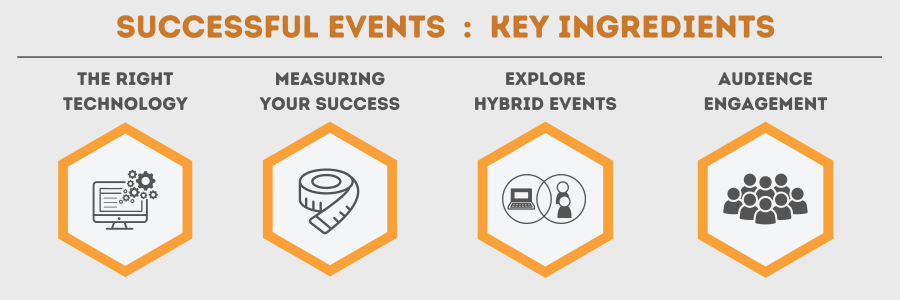
An infographic visually exploring the four key ingredients for successful events. Four orange hexagons with the titles 'The Right Technology', 'Measuring your success', 'Explore Hybrid Events' and 'Audience Engagement'


Chapter 1

Define Objectives & KPIs

A virtual event without a defined objective is a webinar with no way to measure whether it worked. Start here, before anything else gets planned. 

Set the objective with your stakeholders before you touch the agenda, the platform, or the promotion plan. Name a specific number or outcome, not a general intention. A goal like "generate 200 qualified leads," "certify 500 employees on the new compliance policy," or "hit a 4.5 average satisfaction score gives you something to plan toward and something to report on afterward. 

Common objectives for enterprise virtual event include lead generation for a sales pipeline, employee certification and training completion, product launch awareness, and internal communication reach during a company announcement. Each one changes what the rest of your event should look like. A certification-focused event needs tracked completion and quiz data. A product launch needs registration volume and post-event content engagement. 

Pick one primary objective. A single event can carry a secondary goal, but trying to optimize for five outcomes at once usually means hitting none of them well. 

Chapter 2

Know Your Audience

Your audience determines how you reach the objective you set in Chapter 1.

Job titles alone don't tell you enough. Identify network access, device type, location, and familiarity with the platform. An IT-heavy audience joining from corporate networks needs different technical guidance than a customer-facing audience joining from personal devices. A compliance-trained internal audience expects a different ton than a prospect hearing from your company for the first time.
White title 'segment your audience' on an orange background. To the right of the image, six generic stick figures surround a magnifying glass

Segment before you build anything else. A single event serving multiple audience types, current customers and new prospects, for example, often needs separate registration paths, separate messaging, and sometimes separate sessions entirely. A generic agenda built for every audience type at once tends to underserve all of them. 

Three questions worth answering before you build the agenda:

  1. What do they already know, and what needs explaining?
  2. What device, network, and location will they join from?
  3. What's the one action you want them to take after the event ends?

That third question carries the most weight. Define the intended next step — book a demo, compete a certification, join a follow-up session — before the event happens. This can help you design engagement that lead attendees to the action you want them to take. 

The Ultimate Virtual Events Checklist

Download our guide, "The Ultimate Virtual Event Checklist," for THE guide to delivering a successful virtual event!

Chapter 3

Choose the Right Format

The format decision shapes everything downstream: your agenda, your staffing, your technical setup, and how you measure success. Get this wrong and every later decision compounds the mismatch. 

Align Format to Your Objective

Go back to the objective from Chapter 1. A lead-generation event and an internal town hall need fundamentally different formats, even if both happen on the same platform. 

  • Lead generation or product marketing - Both favor an interactive webinar format, where registration data, polls, and Q&A generate the engagement signals sales teams use for follow-up.
  • Internal communication or executive announcements - These types of events favor a broadcast-style, one-to-many format built for high attendance and controlled messaging, not open discussion.
  • Training or certification - Training events favor formats that support tracked completion, quizzes, and repeatable sessions for different cohorts.
  • Partner or customer education - Formats that balance structured content with real interaction are good options for education-type events, since this audience expects some two-way engagements, not just a broadcast.

What to Weigh Before You Decide

  1. Audience size and growth. How many attendees today, and how many do you expect to host per session a year from now? A format that works at 150 attendees may not hold up at 1,500.
  2. Interactivity level. Does this event need live Q&A and polling, or is it a controlled, presentation-style broadcast? Naming this early avoids retrofitting engagement tools after the agenda is set.
  3. Security and compliance requirements. Regulated-industry events, financial disclosures, healthcare training, government communications, etc. often dictate the format before anything else does, since certain formats support tighter access controls and audit trails than others.
  4. Repeatability. Is this a one-time event or a recurring program? A recurring training series benefits from a format built for repeatable, templated setup, not an individual event build each time. 

A Note on Delivery Method

Beyond the live format, decide whether this event needs to be live-only, available on-demand afterward, or delivered as a simulated-live session, pre-recorded content played on a schedule with live Q&A layered on top. This decision affects production timeline more than almost anything else in this chapter, so make it early, not as an afterthought once the agenda is built.

Pro tip: Before locking in a format, map it against your objective and your audience size from Chapter 2 in a single sentence: "This is a [format] for [audience] to achieve [objective]." If that sentence doesn't hold together cleanly, the format likely needs reconsidering.

See our Teams-specific breakdown of Microsoft Teams event formats here: Large Virtual Events on Microsoft Teams

Chapter 4

Build a Content and Engagement Strategy

Content and engagement need equal intention, built at the same time.  

Start With the Content Itself

Build your agenda around the objective from Chapter 1 and the audience from Chapter 2. A certification event needs structured, sequential content attendees can be tested on, while a product launch needs a narrative arc that builds toward one clear announcement. A partner training session needs content attendees can reference again after the event ends.

Choose speakers who have presented on a virtual platform before; presenting to a camera is a different skill than presenting to a room, and it shows immediately when someone hasn't done it. 

Layer Engagement With Intent

Engagement tools should support the content's purpose:

  • Polls - Gauge opinion or steer a session in real time. Place then at natural content breaks.
  • Q&A - Gives attendees direct answers. Especially valuable for training and partner sessions.
  • Breakout Sessions - Create space for smaller-group discussion. Most useful when the audience benefits from direct interaction with each other. 
  • Chat -Surfaces attendee sentiment in real time, as long as someone is actively monitoring during the event. 

Plan For Life After the Event
A large white play button against a black circle, a light blue circle with headphones and a microphone next to text that reads 'Downloadable assets extend an events value well past its live date'.

Recordings, transcripts, and downloadable assets extend an event's value well past its live date and give attendees who couldn't join live a way to engage on their own schedule. Repurposing session content into a blog post, follow-up email, or a short video clip gets additional use out of work you've already done once. 

Pro Tip: Draft your engagement plan and your content outline side-by-side. Building the agenda first and adding engagement tools afterward tends to produce sessions that feel assembled rather than designed.

Chapter 5

Develop a Technical Plan

Content and engagement need equal intention, built at the same time.  

Start With the Content Itself

Build your agenda around the objective from Chapter 1 and the audience from Chapter 2. A certification event needs structured, sequential content attendees can be tested on, while a product launch needs a narrative arc that builds toward one clear announcement. A partner training session needs content attendees can reference again after the event ends.

Choose speakers who have presented on a virtual platform before; presenting to a camera is a different skill than presenting to a room, and it shows immediately when someone hasn't done it. 

Layer Engagement With Intent

Engagement tools should support the content's purpose:

  • Polls - Gauge opinion or steer a session in real time. Place then at natural content breaks.
  • Q&A - Gives attendees direct answers. Especially valuable for training and partner sessions.
  • Breakout Sessions - Create space for smaller-group discussion. Most useful when the audience benefits from direct interaction with each other. 
  • Chat -Surfaces attendee sentiment in real time, as long as someone is actively monitoring during the event. 

Plan For Life After the Event

Recordings, transcripts, and downloadable assets extend an event's value well past its live date and give attendees who couldn't join live a way to engage on their own schedule. Repurposing session content into a blog post, follow-up email, or a short video clip gets additional use out of work you've already done once. 

Pro Tip: Draft your engagement plan and your content outline side-by-side. Building the agenda first and adding engagement tools afterward tends to produce sessions that feel assembled rather than designed.

Chapter 6

Outline the Communication Plan

A great event with no communication plan behind it draws whoever happened to see the one announcement email. Registration, reminders, and post-event follow-up each do different work, and each one needs its own plan.

Before the Event: Build Awareness and Drive Registration

Use the channels your audience actually watches. Internal audiences respond to their direct managers or department communications more than a general company-wide email. External audiences need a mix of email marketing, social promotion, and a clear landing page that states the objective from Chapter 1 in the first sentence. 

Set a reminder cadence, not just a single invite. A confirmation immediately after registration, a reminder a few days out, and a final reminder the day of the event each serve a different purpose: confirming the sign-up worked, keeping the date top of mind, and reducing no-shows right before it starts.

During the Event: Keep Attendees Oriented

Provide clear join instructions inside every reminder, not buries in a calendar invite attendees may not open again. For longer or multi-session events, plan live announcements covering schedule changes, upcoming breaks, or where to find session materials.

After the Event: Extend Value and Close the Loop

Send access to the recording and any downloadable assets within 24 hours, while the event is still fresh. Include a specific next step tied to the objective: a demo booking link for a lead-generation event, a certification confirmation for a training event, a short survey for anything where feedback informs the next one.

Three Questions to Answer Before Writing a Single Email

  1. Who needs to hear about this event, and through which channel will they actually see it?
  2. What's the minimum number of touchpoints needed to get from registration to attendance, without becoming noise?
  3. What happens immediately after the event ends, and who owns sending it?
Pro Tip: Draft the post-event follow-up message before the event happens. Writing it in advance forces clarity on what specific action you want attendees to take, and it means the message goes out within hours. 
Chapter 7

Post-Event Reporting and ROI

While registration and attendance counts are a good place to start with event data, they don't prove ROI on their own. Engagement depth, lead quality, and results tied to your objective from Chapter 1 are better measurements of success. 

A Five-Step Framework For Calculating ROI

  1. Confirm Your Goal - Use the objective from Chapter 1, lead generation, certification, or brand reach, as the benchmark for every metric below.
  2. Track the Metrics That Match That Goal - Choose data points based on what the event is actually for.
  3. Calculate the Cost - Include platform fees, marketing spend, speaker costs, and internal staffing time.
  4. Compare the Results Against the Goal - Identify what hit the target and what fell short.
  5. Quantify the Outcome as a Number - A percentage or dollar figure gives stakeholders something concrete to evaluate.

Five Metrics to Track on Every Event

  • Registrations - An early signal for marketing effectiveness
  • Attendance, Live and On-Demand - Tracks drop-off rate alongside headcount. Heavy early drop-off points to a content or format problem
  • Engagement Activity - Poll responses, Q&A volume, chat participation, and asset downloads
  • Lead Quality - Track how many leads convert to a next step after the event, in addition to raw lead count
  • Direct Feedback - Survey responses, including open-text comments, which often surface issues a numeric score won't catch

Segment the Data

Break results down by industry, account (for ABM programs), persona, engagement level, and region. A single event can perform exceptionally well with one specific segment while looking average in aggregate. Segmenting will help surface that.

Set a Reporting Cadence

Review immediately after the event for first-pass insights, then review monthly for trend tracking. Next, add quarterly review for deeper pattern analysis, and then annually to tie event performance to budget and business goals.

Report to Stakeholders With the Right Tool

While a spreadsheet works for a quick overview, ongoing programs are better served by using a dashboard. EventBuilder's data connects directly to Microsoft Power BI, giving stakeholders live visibility into trends without waiting on a manual report.

Bonus:

A Note About Hybrid Events

Some of what's in this guide applies directly to hybrid events, which combine in-person and virtual audiences in a single event. Hybrid formats add layers this guide doesn't cover in-depth: on-site AV coordination, dual-audience engagement, and staffing for both virtual and in-person attendees. For a full breakdown of hybrid event execution, see our ideas for stand out hybrid events.

FAQ: Virtual Event Planning and Strategy

FAQ

What is virtual event planning and strategy?

Virtual event planning and strategy is the work of defining an event's objective, understanding the target audience, and structuring every decision, format, content, technical setup, and communication before the event goes live.

How do you set goals for a virtual event?

Set one primary, measurable objective with your stakeholders before planning anything else. Name a specific number or outcome, such as lead count, a certification completion rate, or a satisfaction score, rather than a general intention.

How do you identify the right audience for a virtual event?

Segment attendees by device access, network constraints, and existing familiarity with the topic, alongside job title. Different audience segments often need separate registration paths and messaging.

How do you choose the right format for a virtual event?

Match the format to your objective and audience size. Lead-generation events favor interactive webinars, internal announcements favor broadcast-style formats, and training programs favor formats that support tracked completion. 

How do you keep audiences engaged in a virtual event?

Match engagement tools, polls, Q&A, chat, or breakout sessions to the event's content and objective. Tools added without a clear purpose tend to distract rather than add value.

What technology do you need for a virtual event?

The technology you need depends on the event's format, audience size, and compliance requirements. A platform decision should follow the format decision, not precede it, so the technology serves the event rather than shaping it by default.

How do you promote a virtual event?

Use a reminder cadence: a confirmation at registration, a reminder a few days out, and a final reminder the morning of the event. Match promotion channels where your specific audience actually pays attention.

How do you measure ROI for a virtual event?

Calculate ROI by comparing total event cost against results tied to your original objective, using metrics like lead quality, engagement activity, and attendance drop-off. Registration numbers alone don't tell the whole picture.

Chapter 8

Conclusion: Planning and Strategy

Virtual event planning at enterprise scale comes down to a fixed sequence: define the objective, understand the audience, choose the format that fits both, then build content, technical setup, and communication around that foundation. Events that start with content or technology, before the objective and audience are settled, tend to underperform. 

None of the steps in this guide are optional at enterprise scale. A regulated-industry training program and a customer-facing product launch both need the same six decisions made, just with different answers at each step.

If your internal team is stretched thin on production, moderation, or reporting, let's get in touch and talk about how EventBuilder's services fit for you and your events.
A blue, green and orange striped banner with white text reading 'Talk to our team about your production needs'. A blonde lady smiles from behind a laptop to the right side of the image


Related Articles from Our Blog

Stay up to date with what is new in our industry, learn more about the upcoming products and events.

Shattering Stereotypes: Debunking Myths About Women in Tech
alt=

Shattering Stereotypes: Debunking Myths About Women in Tech

April 11, 2025 4 min read
Diversity in Tech: Why It Matters and How to Foster It
alt=

Diversity in Tech: Why It Matters and How to Foster It

April 9, 2025 5 min read
Breaking Barriers: Inspiring Stories of Women in Tech
alt=

Breaking Barriers: Inspiring Stories of Women in Tech

March 13, 2026 11 min read

Subscribe to Our Blog